
When opening the software for the first time, the application runs in demo mode until a valid license file is activated.
Steps
Register your product using the license file
-
Open the software product for the first time.
-
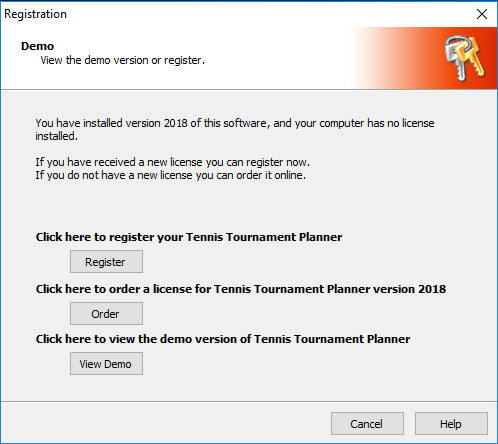
A registration window will appear with the following options:
-
Register
-
Purchase a license
-
Continue using the demo version
-
-
Select Register.
-
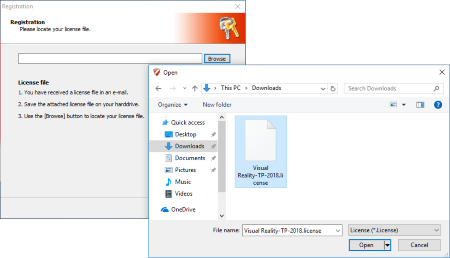
Click Browse to locate the license file you received by email.
-
Select the license file.
-
Click Open to activate the license.

-
After activation, the product will be registered automatically and ready for use.