When many players participate in an event, entries must be organized into different lists and seeded correctly to ensure fair placement and a structured competition format. We have divided this article in 2 ways. Part 1 is the Explanation, Part 2 is the Steps.
Explanation
Organize entries in the Roster view
-
Open the Entries tab.
-
Go to the Roster view.
-
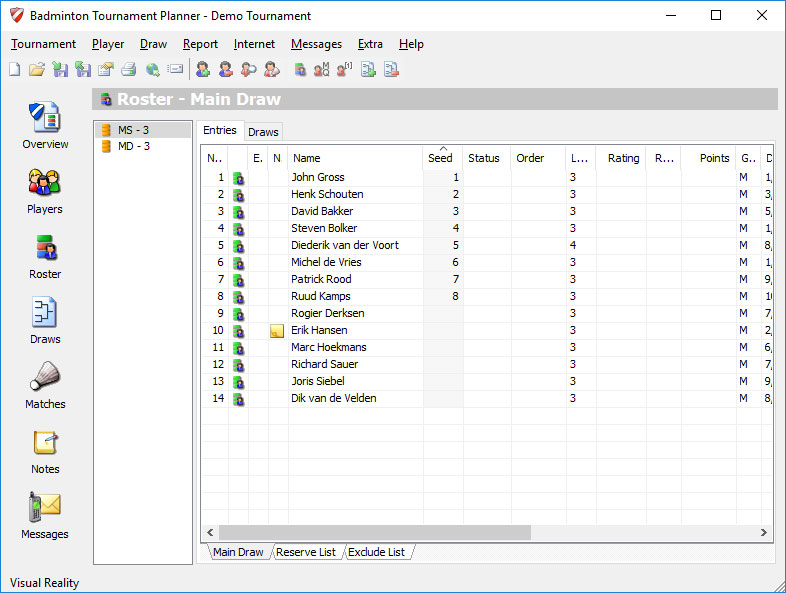
A complete list of all participating players will be displayed.
Entries can be divided into different groups to organize the tournament.
Entry lists
By default, all players are placed in the Main Draw.
You can move players to other lists:
-
Reserve List — backup players
-
Exclude List — manually excluded players
-
Qualifying Draw — players competing for qualification
-
Lucky Losers — players who may advance if a spot becomes available
To move players:
-
Right-click an entry.
-
Select the destination list.
-
Choose Move or Copy.
Manage seeding manually
-
Right-click a player entry.
-
Open Properties.
-
Assign a seed value.
Separate seedings can be defined for:
-
Main Draw
-
Qualifying Draw
Examples of seed values:
-
1
-
3/4
-
5/8
You can also assign statuses, such as:
-
Promoted from qualification
-
Eligible for promotion
Use automatic seeding
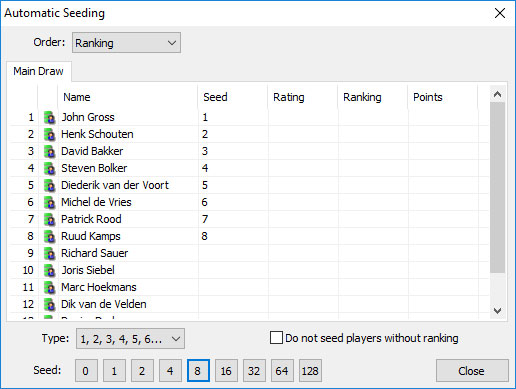
Automatic seeding allows quick organization based on player data.
-
Right-click a player.
-
Select Automatic Seeding.
-
Choose the sorting method:
-
Ranking
-
Rating
-
Points
-
-
Select the number of seeds:
-
2
-
4
-
8
-
16
-
32
-
Selecting 0 removes all assigned seeds.
Result
Using these tools, organizers can:
-
Structure entries efficiently
-
Apply fair seedings
-
Automatically organize draws while keeping manual control when needed.
Steps
- Organizing your entries
In the Roster view on the Entries tab you find a list with all the players participating in the event. The entries can be subdivided in different groups:
Main Draw tab
By default all entries will be listed in the Main Draw.
Reserve List tab
The reserve players can be moved to the Reserve List.
Exclude List tab
The players you exclude by hand can be moved to the Exclude List.
Qualifying tab
Players who are not automatically seeded for the main draw can still qualify by participating in the qualification draw.
Lucky Losers tab
When a player in the main draw does not show or is injured a lucky loser from the qualify draw will advance through to the main draw.
To keep your entries organized you can move or copy them to other lists. To do this you click with the right mouse button on an entry and select Move to > Qualifying List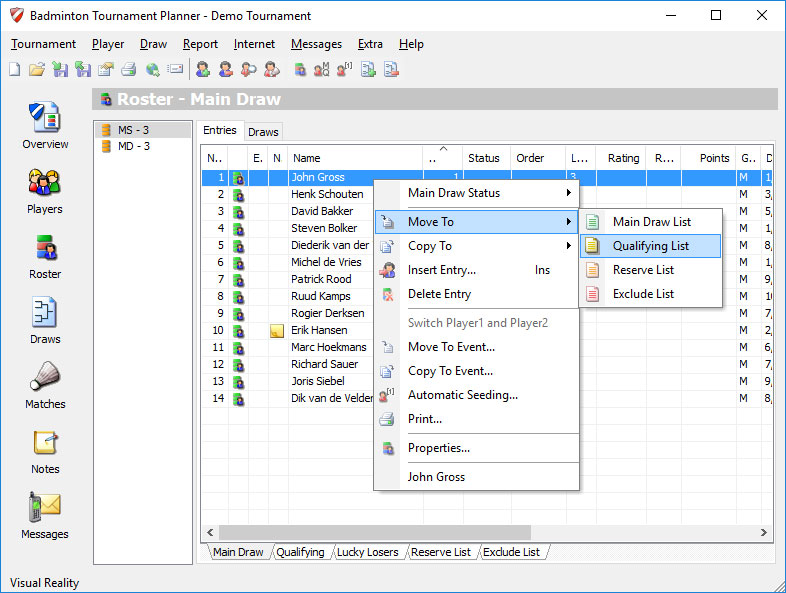
- Manual seeding.
Click with the right mouse button on an entry and select Properties from the menu.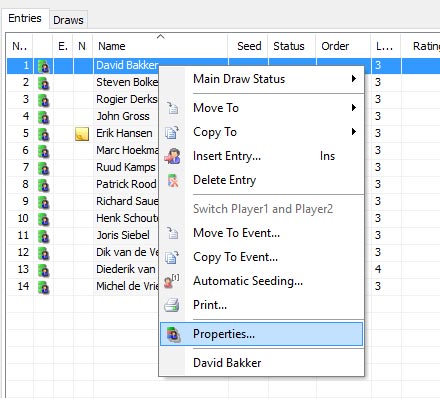
You can fill in a separate seeding for Main Draw and Qualifying Draw. For example 1, 3/4, or 5/8.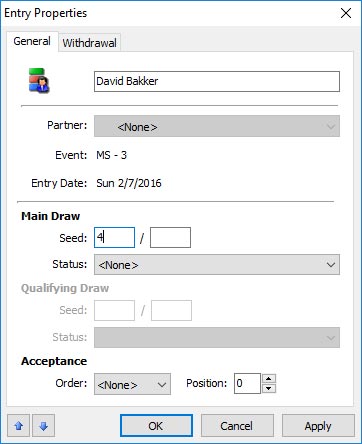
Status
For the main draw and qualifying draw you can set a separate status. For example for the main draw Promoted from qualifying and for the Qualifying draw Promoted to main draw.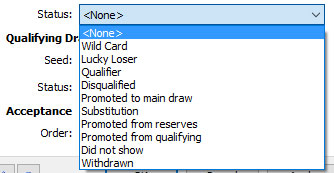
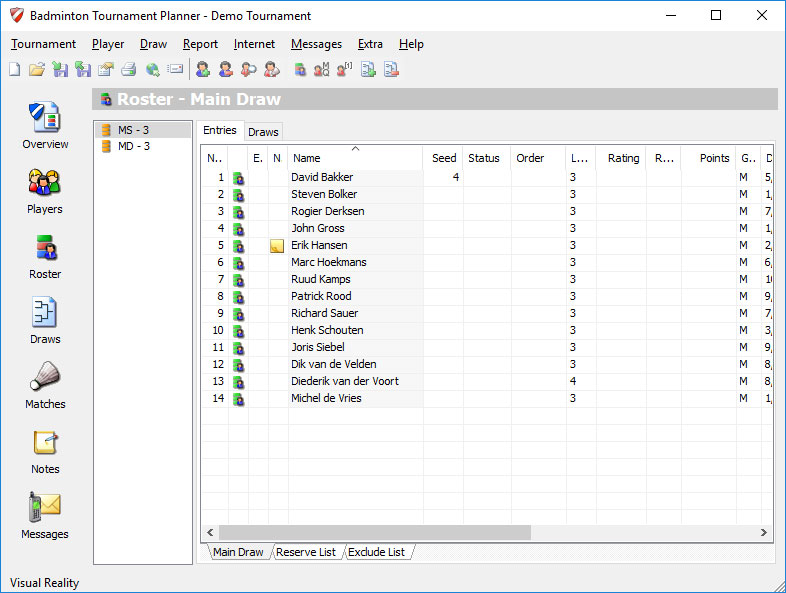
- Automatic Seeding
Click with the right mouse button on a player and select Automatic Seeding from the menu: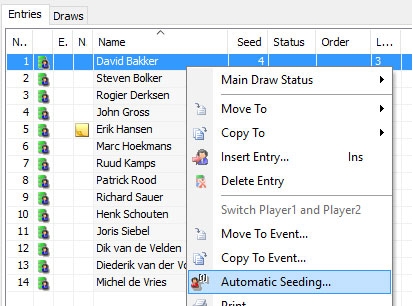
- You can set the Order to Ranking, Rating or Points the entries on rating or ranking. Use one of the buttons 2, 4, 8, 16, 32 to seed that number of entries.
- Click on 0 to remove all seeds.