
Steps
- You can create a new tournament by using Tournament > New...
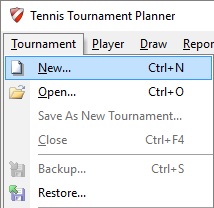
Give the Tournament a name and click "Save". - The next step is to enter the tournament properties.
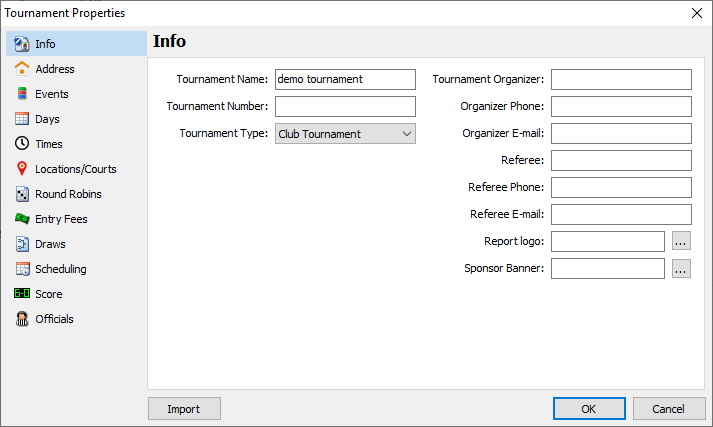
- Before you can publish you need to make sure you got most important information in your Tournament Properties.
- At Info you need to enter:
- Tournament Name;
- Tournament Organizer;
- Organizer Phone;
- Organizer E-mail. - At Address you need to enter:
- Venue name;
- Address 1;
- Postal code;
- City;
- State;
- Country. - At Events you need to enter the events which are going to played.
If you don't add a Fee then players don't have to pay when using Online Entry. - At Days you need to enter the the days players will have their matches. When using the Online Entry players can now give their schedule for each day.